
Opening trainer vs opening explorer: which one do you need?
Learn when an opening explorer helps with research, when a trainer helps with recall, and how to use both without building an oversized repertoire.
By Chessmate Team · Updated October 9, 2026
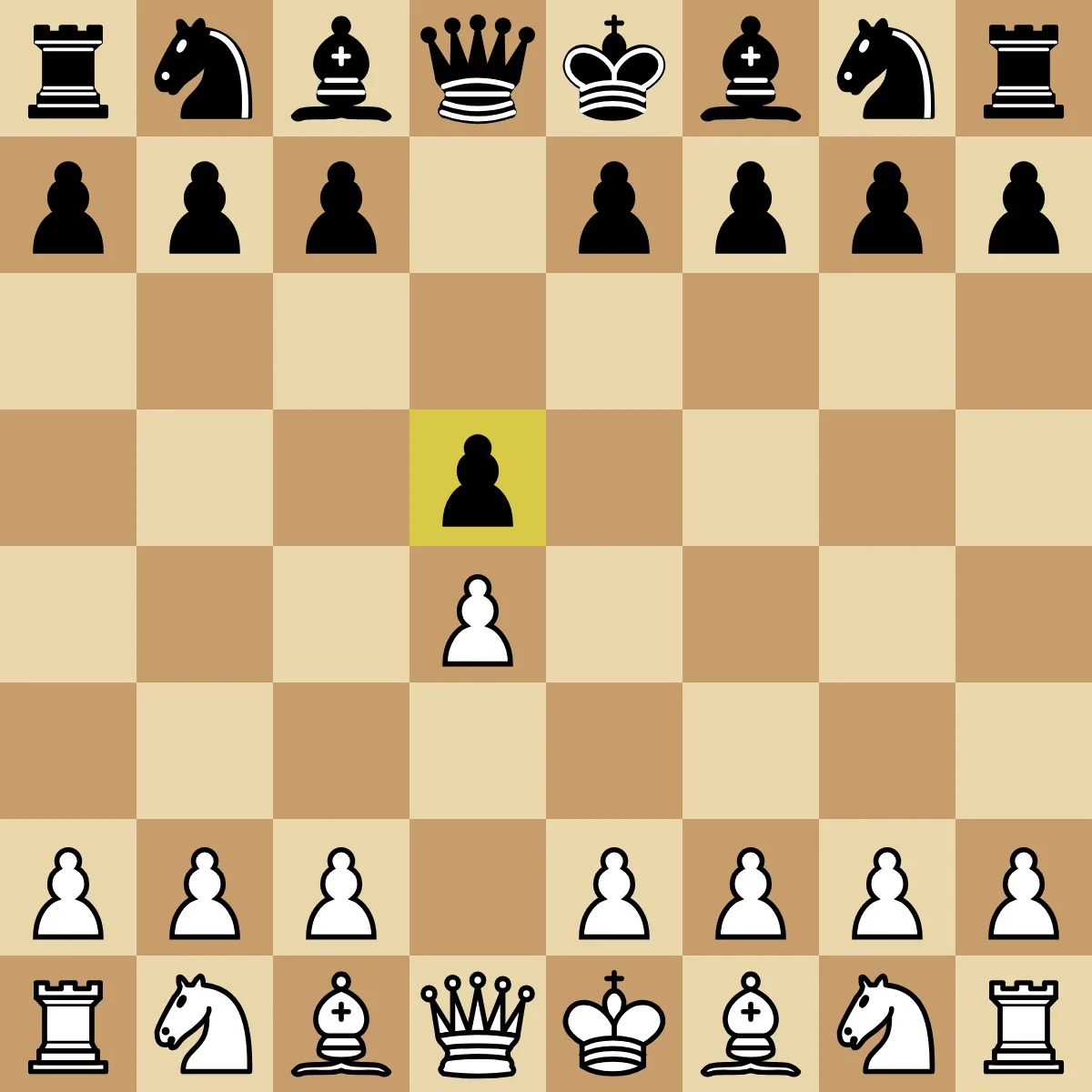
Position after 1.d4 d5, where an explorer can show common continuations and a trainer can ask for a prepared move.
An opening explorer and an opening trainer can display the same chess position while doing different jobs. The explorer helps you investigate what players have done. The trainer checks whether you can produce a move you chose to learn.
Confusing those jobs creates two common problems. A player may browse a large move tree and call it practice, or load a trainer with branches that were never selected for a clear reason. The first produces recognition without recall. The second creates a review queue with no useful boundary.
Use an explorer to decide what deserves attention. Use a trainer after the decision, when the goal is to remember and play the selected response.
What an opening explorer shows
An opening explorer is a database view organized by board position. It usually shows which moves occurred, how often they occurred, game results, and examples that continued from the position.
The official Lichess Opening Explorer API provides separate lookups for master games, Lichess games, and an individual player's games. The Chess.com openings section combines opening descriptions, continuation moves, and games from its database.
That information answers research questions:
- Which reply do players choose most often here?
- Which move keeps appearing in my own games?
- Does this position usually open immediately or remain closed?
- Which complete games are worth reviewing?
The explorer does not decide what you should memorize. A common move may belong to a style or repertoire you do not want, and a result percentage can reflect rating, time control, sample size, or player selection. Treat the numbers as evidence about what happened in the database, not as a command to play the top row.
What an opening trainer asks you to do
An opening trainer begins after a repertoire choice has been made. It presents a position, hides the continuation, and asks for the move assigned to your side.
The important action is active recall. You must produce the response before seeing it. A trainer may then correct the move, show an explanation, and schedule the position for another review.
Some products let you build a custom repertoire from PGN files, while others teach prepared courses. That distinction affects who chooses the moves, but both types can still test recall. Check whether the board position prompts an attempted answer before showing the notation.
The same position, two different sessions
Consider the position after 1.d4 d5. An explorer may show 2.c4, 2.Nf3, 2.Bf4, and other continuations with game counts and results. You can open games, filter the data, and investigate why those moves lead to different structures.
A trainer needs a narrower instruction. If your repertoire uses the Queen's Gambit, it should show the same position and ask you to play 2.c4. After you answer, it can explain that White is challenging d5 and continue to Black's selected reply.
The explorer session ends with a research decision: "I want to learn this branch." The trainer session ends with evidence about memory: "I recalled the move," or "this position needs another review."
Use an explorer after a real game
Your own games provide the best starting filter for an explorer. Find the first opening position where your plan became unclear, then inspect the moves that players commonly choose from there.
The Chess.com opening stats documentation describes filters for color, time control, date range, and the continuations found in a player's games. Lichess's official explorer supports player-specific lookups through its API. Those views can reveal a practical gap that a general master database may hide.
Stop after the question is answered. If one opponent reply caused the problem, you do not need to follow six unrelated branches to move twenty. Save the relevant position, inspect a few complete games or an explanation, and choose one response.
Use a trainer before the position returns
Training begins once the response has been selected. Start at the branch position, play your repertoire move without help, and check the reason attached to it.
The board cue should match what a game will provide. If Black has just played ...Nf6, notice the attack or development change that makes your response relevant. Replaying from move one every time can hide confusion because the shared opening moves are already familiar.
A later review should return the difficult position rather than the entire database. Stable moves can wait longer, while missed or newly added positions come back sooner. This keeps review time tied to recall performance.
Do not turn database frequency into a repertoire
The most common move in an explorer is not automatically the best choice for your first course. Popularity can identify an important branch, but a repertoire also needs coherent positions and a manageable amount of maintenance.
Suppose three continuations are common after an opponent move. Learning all three as your own response would create ambiguity during training. Choose one repertoire move, understand why it fits the position, and use the other rows to learn what opponents may play later.
An explorer is especially likely to expand the project because every click reveals more branches. Set a stopping rule before browsing: answer one question, save one position, or add one reply that has already appeared in your games.
Do not use a trainer as a blind move list
A trainer can also be used badly. Importing a huge repertoire and repeatedly guessing moves may produce a long streak of corrections without a clear model of the position.
Each trained move needs a short reason or visible cue. In the Caro-Kann Advance, ...Bf5 develops the bishop before ...e6 closes the diagonal. That sentence helps distinguish the order when two familiar moves compete in memory.
Feedback matters when several legal moves are playable. A repertoire trainer teaches the selected course move; it should not imply that every other chess move is a blunder. Check the explanation and return to the exact decision that was missed.
A simple explorer-to-trainer workflow
The two tools work well in sequence:
- Find the first unfamiliar opening position from a real game.
- Use an explorer to inspect common replies and a small number of complete games.
- Choose one response that fits the repertoire you are maintaining.
- Add the position, move, and short reason to a trainer.
- Attempt the move from the board before revealing it.
- Review the position later and keep it only if the branch remains useful.
Our guide to practicing chess openings online expands that sequence into a complete learning loop. If you are comparing specific products, the opening trainer app guide separates curated-course tools from custom repertoire systems.
Where Chessmate fits
Disclosure: Chessmate is our product. The Chessmate app is a curated opening trainer. The Chessmate website also offers an opening explorer for position research. The site's free chess opening trainer also lets you practice one course line from memory in the browser, without an account.
The app chooses the course lines and keeps explanations beside the board. Study introduces the position and move. Review brings trained positions back later, and Challenge asks you to play the course move without the teaching support.
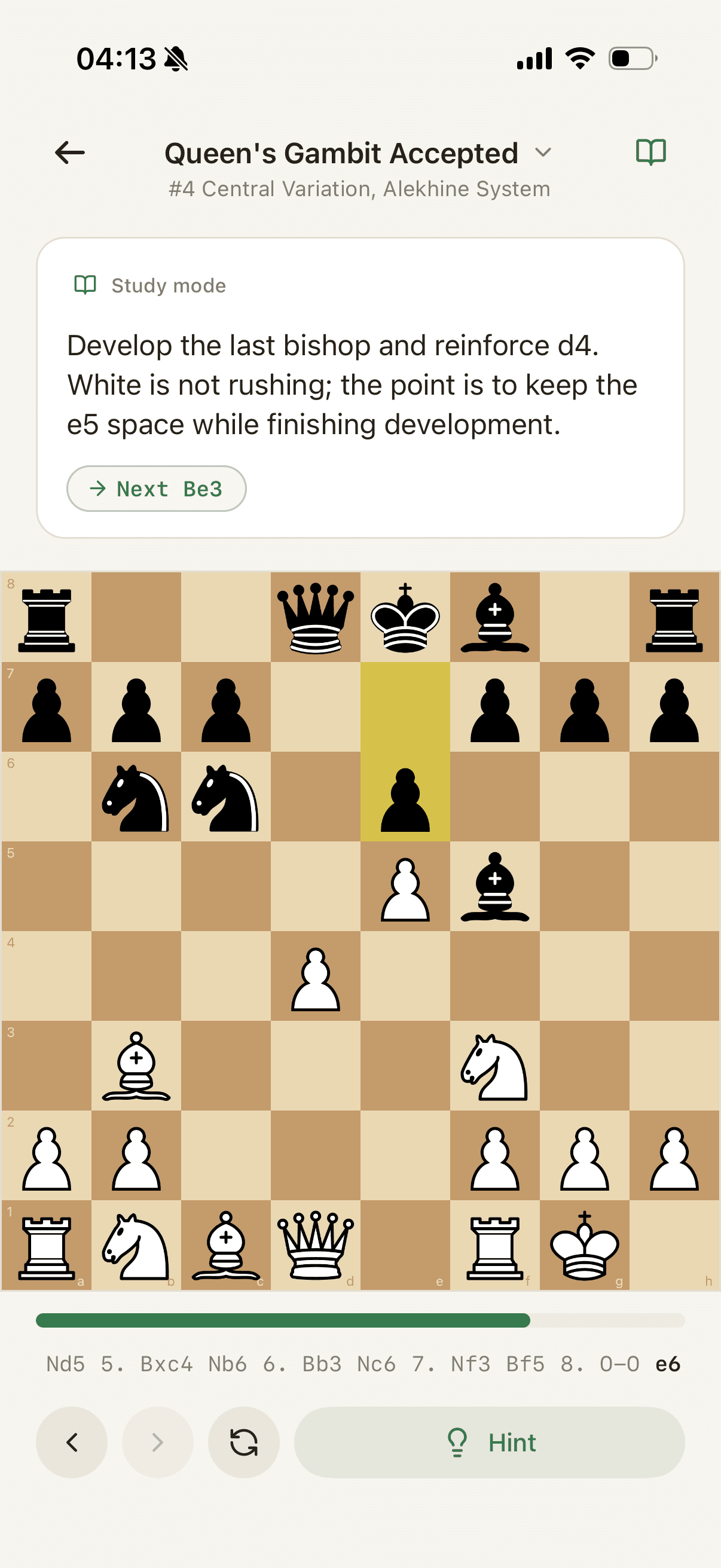
Use an explorer alongside Chessmate when you want to investigate your own games or understand how often an untrained reply appears. Use the Chessmate course when you want a prepared line and a board-first recall loop. The explorer supplies breadth; the trainer supplies a commitment and a test.
Choose the tool from the question in front of you. "What happens here?" belongs in an explorer. "Can I remember my move here?" belongs in a trainer. Many opening problems need both questions, but they should still be answered in that order.
Sources
Lichess Opening Explorer API; Chess.com openings database; Chess.com opening statistics documentation; Chess.com Practice documentation.
Master openings.
Learn curated lines, recall the move from the board, and keep useful positions fresh with spaced review.


Scan to get the app on your phone