Best chess opening trainer apps in 2026
Compare eight chess opening trainer apps by repertoire source, recall practice, spaced review, and setup work.
By Chessmate Team · Updated October 8, 2026
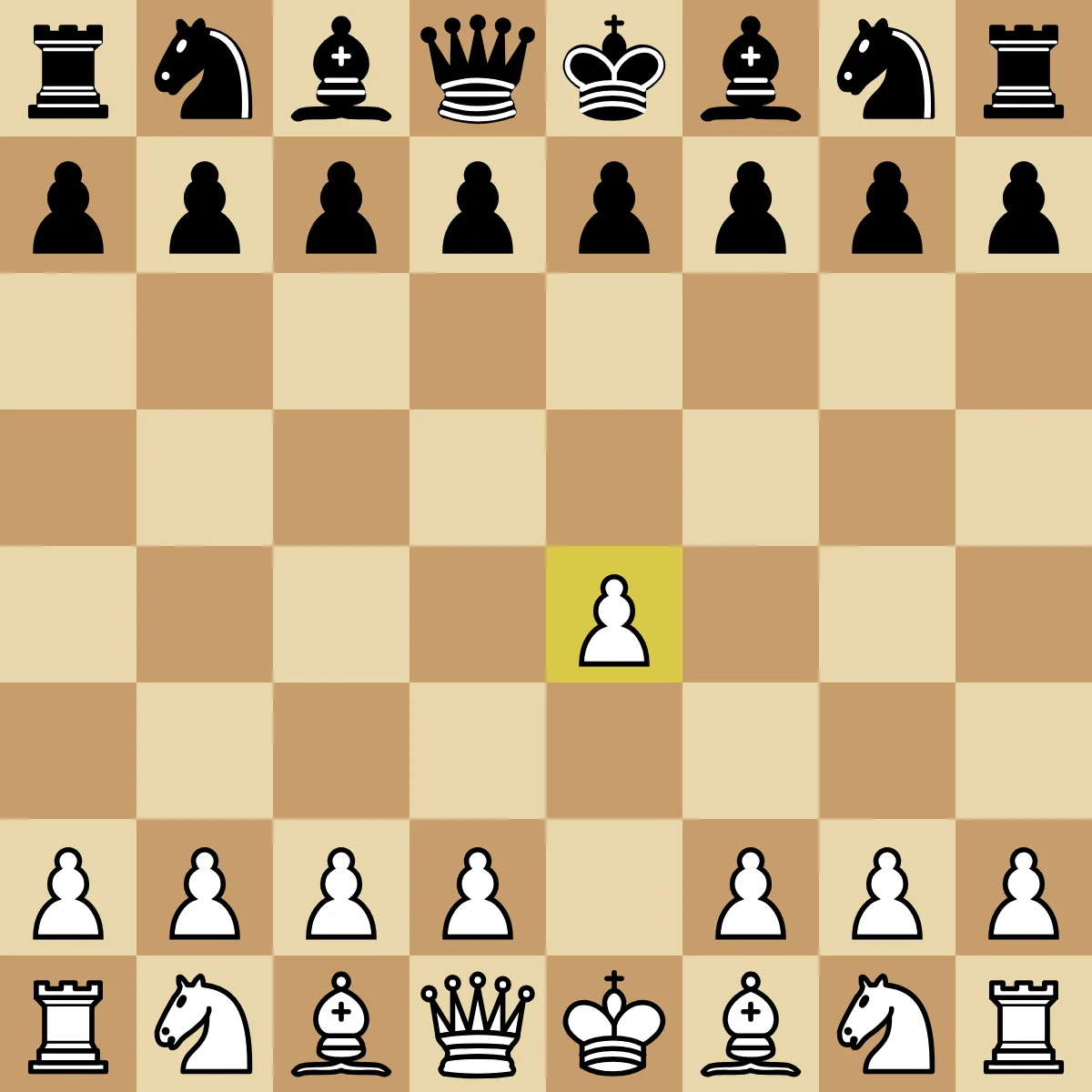
Position after 1.e4.
Most opening tools can show you moves. The useful dividing line is who chooses those moves and what happens after the first lesson. Some apps hand you a prepared course. Others expect you to build a repertoire, import a PGN, or research a move tree yourself.
This comparison covers eight tools: Chessmate, Chessreps, Chessable, Chessbook, ChessTempo, Lichess, Listudy, and Chess.com. It is aimed at players who already play online and want to recall useful move orders in real games.
Disclosure: we make Chessmate. We built it for guided opening recall, so that workflow gets close attention here. If you want a course marketplace, a free explorer, or full control of a personal repertoire tree, another product may fit better.
We rechecked the eight ranked products against official pages and documentation on September 4, 2026. The comparison looks at workflows. We did not complete every paid course in every app.
Each product was compared on four practical questions:
- Who supplies the repertoire lines?
- Does practice make you recall a move from the board?
- What brings weak positions back for review?
- How much setup is required before useful practice begins?
Temporary prices and promotions were left out because they change too quickly. Check the current product page before paying.
Compare the apps at a glance
| App | Where the lines come from | Practice and review | Best for | Main trade-off |
|---|---|---|---|---|
| Chessmate | Prepared Chessmate courses | Study, board recall, and spaced review | A guided daily opening routine | No custom PGN tree or engine workspace |
| Chessreps | Prepared and community courses based on common game moves | Learn, Practice, Drill, Time Trials, and spaced repetition | Fast drills against practical replies | Less control than a traditional repertoire database |
| Chessable | Courses by authors, plus selected lines from courses you own | MoveTrainer practice and spaced review | A large course catalog and named authors | Choosing and trimming course material takes work |
| Chessbook | A repertoire you build | Board training, gap checks, and spaced repetition | Maintaining your own opening plan | You need to know what you want to play |
| ChessTempo | Repertoires you build or import | Several training modes, including spaced repetition | Detailed tree management and analysis | More settings and maintenance |
| Lichess | Opening explorer results and your studies | Research, analysis, and saved studies | Free opening research | No dedicated opening review queue |
| Listudy | Opening repertoires available in the project | Board practice with spaced repetition | Free, open-source recall practice | You are responsible for judging the material |
| Chess.com | Opening pages, lessons, and MoveTrainer courses | Interactive courses with spaced review | Opening study inside a broad chess platform | The training flow is spread across several features |
Pick the workflow before the app
Start with who chooses the lines
If you still need someone to choose a manageable course, start with a prepared trainer such as Chessmate or Chessreps. Chessable also supplies authored courses, but its catalog asks you to make more decisions about author, depth, and scope.
Decide how much control you need
If you already know your repertoire, Chessbook and ChessTempo give you more ownership. Chessbook keeps the personal-book workflow approachable. ChessTempo offers a deeper tree, PGN import, more training controls, and more analysis detail.
Separate research from practice
For free research, Lichess handles the job directly. Listudy adds board-based spaced repetition when you have a repertoire worth practicing. Chess.com makes sense when you want openings, games, lessons, and review under the same account.
Recall the move from the board
Whatever you choose, test the actual practice loop. Reading a line creates familiarity. A useful trainer also hides the answer, asks you to play the move, and returns unstable positions later.
Bring weak positions back
A review queue should return missed positions sooner and stable positions less often. That keeps practice focused on the moves that still fail under recall.
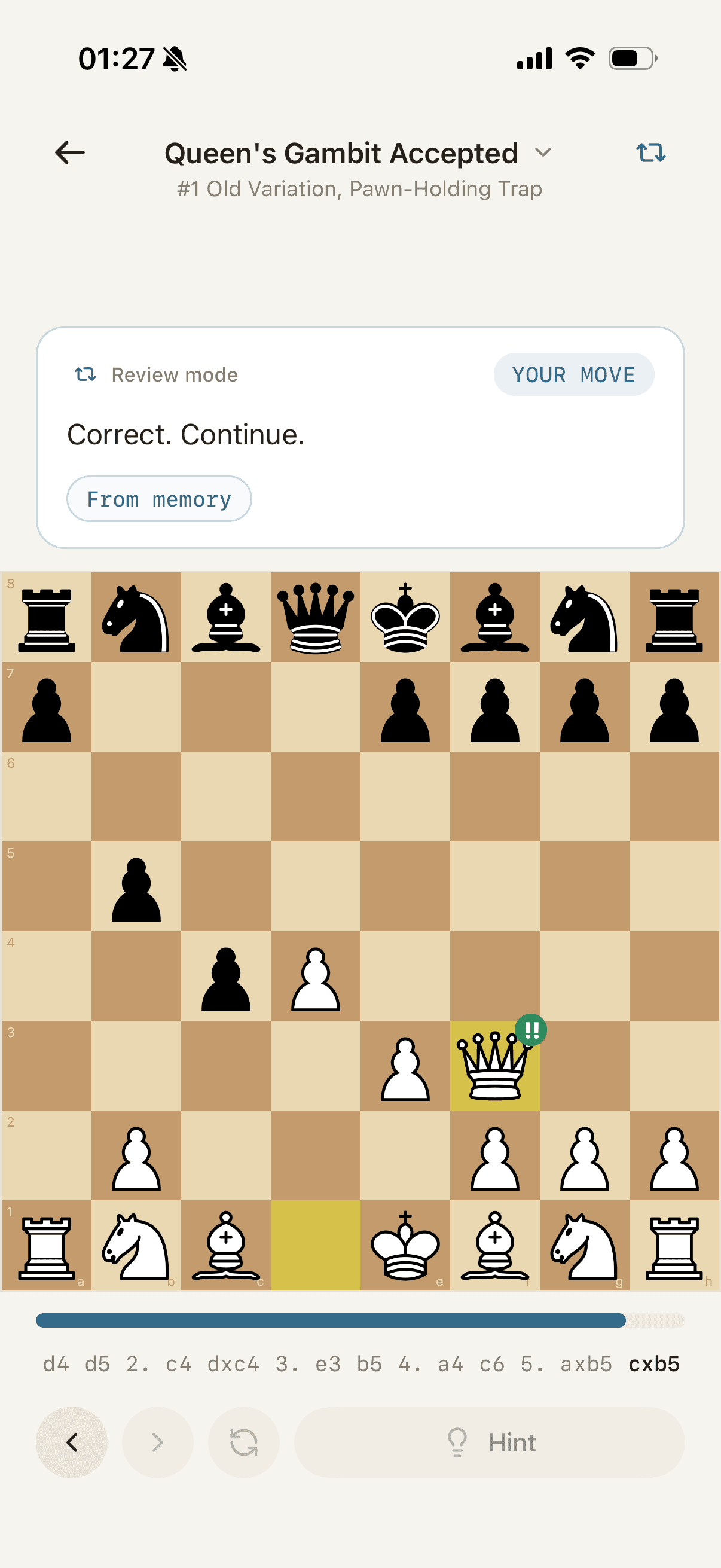
1. Chessmate: best for guided opening recall
Chessmate starts with prepared opening courses. Each line includes short explanations beside the board, then moves through Study, Review, and Challenge. You first learn why a move belongs, see the position again, and eventually play the continuation from memory. Due positions return on a spaced schedule.
That narrow sequence works well when your real problem is early-game uncertainty. You can browse courses by family, including the Sicilian Defense, Ruy Lopez, Queen's Gambit, and French Defense, without building a repertoire tree first.
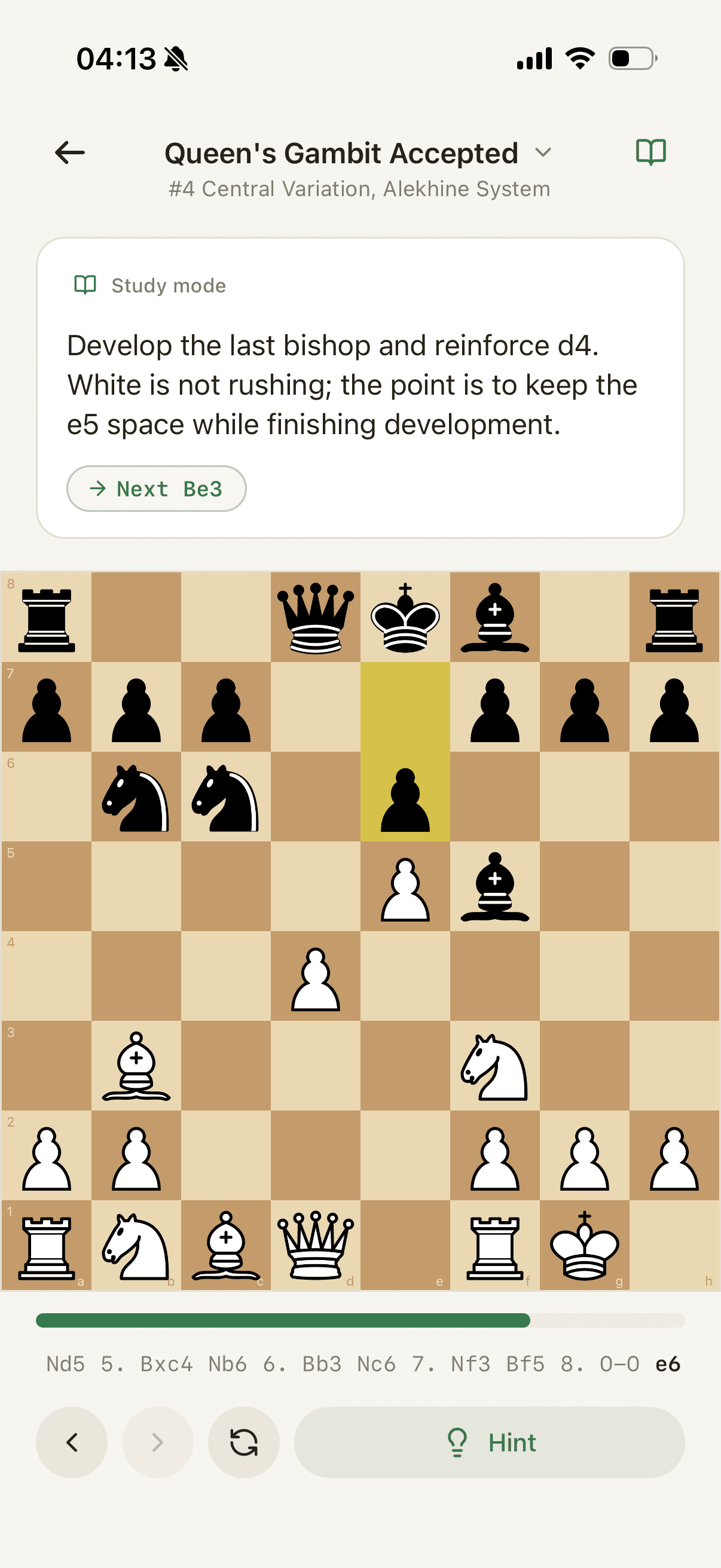
The focused scope is also the limit. Chessmate does not provide full PGN-tree editing, database research, engine analysis, social play, or general puzzle training. Chessbook and ChessTempo are better for detailed personal repertoires. Lichess and ChessTempo are better places to investigate candidate moves.
Chessmate fits when you want the course and review queue prepared for you. Start with the opening catalog and try a sample such as the Queen's Gambit Accepted or Sicilian Najdorf.
2. Chessreps: best for practical repertoire drills
Chessreps organizes opening courses around moves people play in real games. Its current catalog includes courses by titled players and community material, while its app listing describes Learn, Practice, Drill, and Time Trial modes. It also connects tactics to positions from the openings being trained.
This makes Chessreps appealing when you want more drill formats and a larger flow of practical course material. Hints and explanations support the first pass, then faster modes put more weight on recall.
It is still a trainer rather than a full repertoire database. If you want to inspect a traditional PGN tree, tune every branch, or run a deeper analysis workflow, Chessbook or ChessTempo will give you more control.
Choose Chessreps if you want real-game spaced-repetition drills and practical repertoire volume. If its pace or move decisions keep getting in the way, test one course's main line and two common branches in another tool before rebuilding a full repertoire.
3. Chessable: best for a large course marketplace
Chessable offers a broad catalog of chess courses, including opening repertoires by named authors and titled players. Many courses combine written material, MoveTrainer practice, and optional video. The platform also covers tactics, strategy, and endgames.
Its newer Repertoire feature lets you copy variations or chapters from courses you own into a custom course. You can then edit comments, add alternatives, adjust trainable moves, and keep the source course unchanged.
The main question is how much material you want to manage. A large catalog is valuable when you know the author and depth you need. It can be distracting when you only need a few practical lines for your next games.
Choose Chessable if you want breadth, named authors, and a large course marketplace. If you already own the right courses, trim them into a personal Repertoire before switching; the problem may be the material or practice method rather than the platform.
4. Chessbook: best for building your own repertoire
Chessbook centers the product on one personal opening book. Its official app listing describes custom repertoires, automatic gap finding, transposition handling, online-game checks, and spaced repetition. It also uses game statistics and engine evaluation to help compare candidate moves.
The workflow suits a player who already has an opening plan. You might know that you want the Caro-Kann against 1.e4, the Queen's Gambit as White, and one answer to the London. Chessbook helps turn those choices into a trainable tree and shows where common replies are still uncovered.
Starting from a blank book is less helpful when you do not yet know which lines are sound or suitable for your level. In that situation, learn from a trusted course first, then move the selected lines into a personal repertoire.
Choose Chessbook if you want to assemble and maintain your own opening repertoire. Before switching, move one opening first and keep one answer per position, so recall practice stays unambiguous.
5. ChessTempo: best for detailed repertoire management
ChessTempo combines a repertoire tree with explorer data, training statistics, PGN import, and extensive settings. Its manual documents spaced repetition, full-repertoire review, least-recently-seen training, transposition handling, and separate White and Black repertoires.
That level of control is useful when the repertoire itself is an ongoing project. You can decide how lines are organized, how unseen moves enter training, and how much context appears before the tested position.
The same detail creates setup work. Players looking for a short, prepared daily session may spend more time maintaining the tree than they want. ChessTempo makes the most sense when you are willing to maintain the repertoire.
Choose ChessTempo if you want a detailed repertoire workstation with extensive controls. If its controls feel heavy, narrow the active training scope or export a repertoire PGN with comments before moving anything.
6. Lichess: best free opening research tool
Lichess is the research choice in this list. Its openings page provides a searchable name tree and explorer, while the analysis board and studies let you inspect, annotate, and save variations.
It is easy to explore too far. Database percentages can answer what people play, but they do not decide which line you should learn or schedule it for review. Keep a small study, record the positions that actually caused trouble, and add a recall tool if forgotten moves remain the problem.
7. Listudy: best free spaced-repetition option
Listudy is a free, open-source project for openings, endgames, and tactics. Its opening practice asks you to play against a repertoire and uses spaced repetition to bring material back.
Listudy is a good match when cost and open-source access matter more than a polished mobile flow. The software can schedule practice, but it cannot guarantee that a public repertoire is suitable for you. Check the source of the lines and keep the scope small.
Choose Listudy if you want a free, open-source spaced-repetition trainer. Before switching, fix unclear notes in a few positions of your study; an unchanged file carries the same ambiguity into any new tool.
8. Chess.com: best for one broad chess account
Chess.com places opening study beside games, puzzles, lessons, bots, and game review. Its openings area connects an opening explorer, game database, and lessons. MoveTrainer courses add interactive repertoires with annotations, visual aids, and spaced review.
This is convenient if Chess.com is already where you play and study. The trade-off is focus: opening pages, lessons, Practice, and MoveTrainer courses are separate entry points. A dedicated trainer is simpler when you want one obvious review queue and nothing else.
Specialist tools outside this ranking
The eight apps above cover the main course, repertoire, research, and recall workflows. The tools below serve narrower jobs and are not part of the ranking. Their source details were last checked on August 3, 2026, so verify current features before choosing one.
- Choose OpeningTree if you want to turn online game histories or PGN files into a browsable move tree. Keep it for evidence about your games, and add a trainer only once you have chosen a reply that must come from memory.
- Choose OpeningTrainer if you know your repertoire and want short practice games sampled from common Lichess replies. Its ratings may judge move quality, adherence to your imported line, or both, so learn which before switching; a legal different choice is not a blunder. If you need to edit and retrain your own answer, a repertoire tool such as ChessTempo fits that correction better.
- Choose ChessBase Openings if you want LiveBook research, repertoire editing, and variation training in a browser. Research can stay here while recall happens elsewhere; before moving a repertoire, test one small branch's export and don't expect scores or review dates to transfer.
- Choose Chess Position Trainer if you want a position-based Windows database that recognizes transpositions and schedules your own repertoire.
- Choose Chess Openings Wizard if a transposition-aware position tree and editable opening ebooks fit your workflow.
- Choose Fritz if configurable computer opponents, engine analysis, and broader Windows training matter as much as openings. The Fritz 21 package includes access to an opening-training web app, so check it before paying for a second opening subscription; keep Fritz for practice games and move only the review task if another tool does it better.
- Choose Chessly if GothamChess-led video courses and gamified progress keep you engaged. If the explanations work for you, use its own practice before switching; a different author or level often matters more than the trainer interface.
- Choose ChessMood if you want one Grandmaster team's connected opening repertoires and wider study program. Replace one section at a time and confirm the new course covers the same move order; an Open Sicilian course (2.Nf3 and 3.d4) is not a drop-in replacement for a 2.Nc3 Anti-Sicilian section.
- Choose Forward Chess if you want an author's full book text beside playable variations on the board. Try its Position Trainer and Guess the Move before adding a second tool, and treat transfer of notes, purchases, or progress as unverified.
- Choose Modern Chess if you want specialist opening courses with downloadable PGN material and course-specific training tools.
- Choose Chess King Learn if you want openings inside a synchronized course hub that also covers tactics, strategy, middlegames, and endgames.
- Choose HIARCS Chess Explorer if you want a supported Mac or Windows database with engine analysis, opening exploration, and computer play.
- Choose Scid vs. PC if you want mature free database searches, opening reports, move trees, and engine support.
- Choose ChessX if you want a simpler free PGN and engine workflow across Windows, macOS, and Linux.
- Choose En Croissant if you want a modern free desktop app for databases, engine analysis, imports, and personal repertoire review.
- Choose Chess Assistant if you want deep Windows database searches, packaged game data, and professional analysis tools.
Which opening trainer should you choose?
Choose by the work you want to avoid:
- Use Chessmate when you want prepared courses and a guided Study, Review, Challenge loop.
- Use Chessreps when practical course drills and several fast practice modes matter most.
- Use Chessable when you want a broad author-led course catalog and optional video.
- Use Chessbook when you know your lines and want a modern personal repertoire builder.
- Use ChessTempo when you want detailed tree control, import, analysis, and training settings.
- Use Lichess for free research, then Listudy if you also want free spaced practice.
- Use Chess.com when keeping play and study in one account matters more than a dedicated opening flow.
After choosing, keep the first routine small. Our guide to practicing chess openings online starts with one line and adds branches only when they solve a problem you have actually met.
Frequently asked questions
What is the best chess opening trainer app?
There is no single best app for every repertoire. Chessmate provides a prepared, guided recall loop. Chessreps emphasizes practical drills. Chessable offers a large course marketplace. Chessbook and ChessTempo suit players who want to manage their own lines.
Is spaced repetition good for learning chess openings?
It helps schedule review, especially when missed positions return sooner and familiar ones return later. The practice still needs active recall. Repeatedly rereading a move list does not test whether the board position can prompt the move.
Is Chessable better than Chessmate?
Chessable gives you more authors, course formats, and subjects. Chessmate gives you a narrower opening-only routine with prepared lines, explanations beside the board, and guided recall. Pick the wider library or the simpler daily loop.
Is Lichess enough for opening training?
Lichess is enough for research, analysis, and organizing studies. It does not provide a dedicated opening spaced-repetition queue. Add a recall workflow if you understand the line but still forget it over the board.
What is the best free chess opening trainer?
Use Lichess for free opening research and Listudy for free spaced-repetition practice. Other products may have free access or trials, but their limits can change.
Should beginners memorize chess openings?
Beginners do not need a large theory tree. A few common lines are useful once early opening confusion keeps repeating in real games. Learn enough to reach a playable position and understand the plan that follows.
Sources checked
The eight ranked products were reviewed from official pages and documentation on September 4, 2026. Sources for the unranked specialist directory were last checked on August 3, 2026:
- Chessable
- Chessable Repertoire feature
- Chessreps
- Chessreps on the App Store
- Chessbook
- ChessTempo manual
- Lichess openings
- Listudy
- Chess.com openings
- Chess.com MoveTrainer courses
- Chess.com MoveTrainer spaced repetition
- OpeningTree
- OpeningTrainer
- ChessBase Openings
- Chess Position Trainer
- Chess Openings Wizard
- Fritz 21
- Chessly
- ChessMood courses
- Forward Chess on the App Store
- Modern Chess courses
- Chess King Learn on the App Store
- HIARCS Chess Explorer Pro
- Scid vs. PC
- ChessX
- En Croissant documentation
- Chess Assistant 26
Pricing and free-tier limits change often. Recheck each product's official listing before paying.
Master openings.
Learn curated lines, recall the move from the board, and keep useful positions fresh with spaced review.